Biblioteca de Motion apenasdouglas · efeitos de animação pra pedir pra IA
apenasdouglas Motion Library · animation effects to ask AI for
Português · Current version: Documentary (Documental)



Asking AI to “make a nice animation” doesn’t work. It needs the name of the effect, just like a real video editor would.
Here are 24 motion graphics effects with the technical term to use in your prompt and a ready-to-copy example, plus scene recipes and a Claude Code skill. It was made for people running (or starting) a faceless YouTube channel about trivia, history, mystery, science or documentaries who need motion in their videos without hiring a motion designer. The videos on this page were also made by AI.
The project is written in Brazilian Portuguese first. The skill understands requests in Portuguese and English.
Dark theme
Light theme
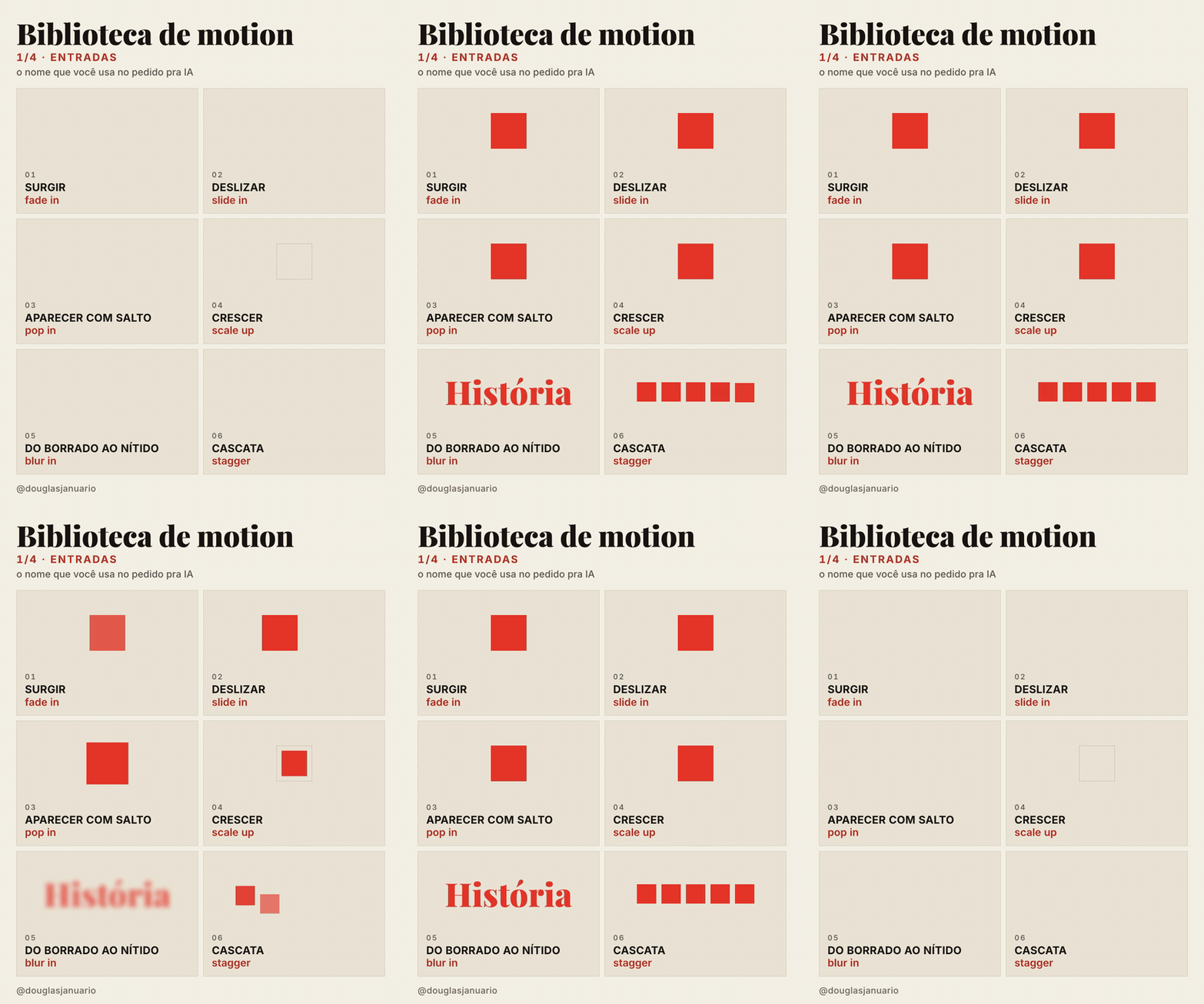
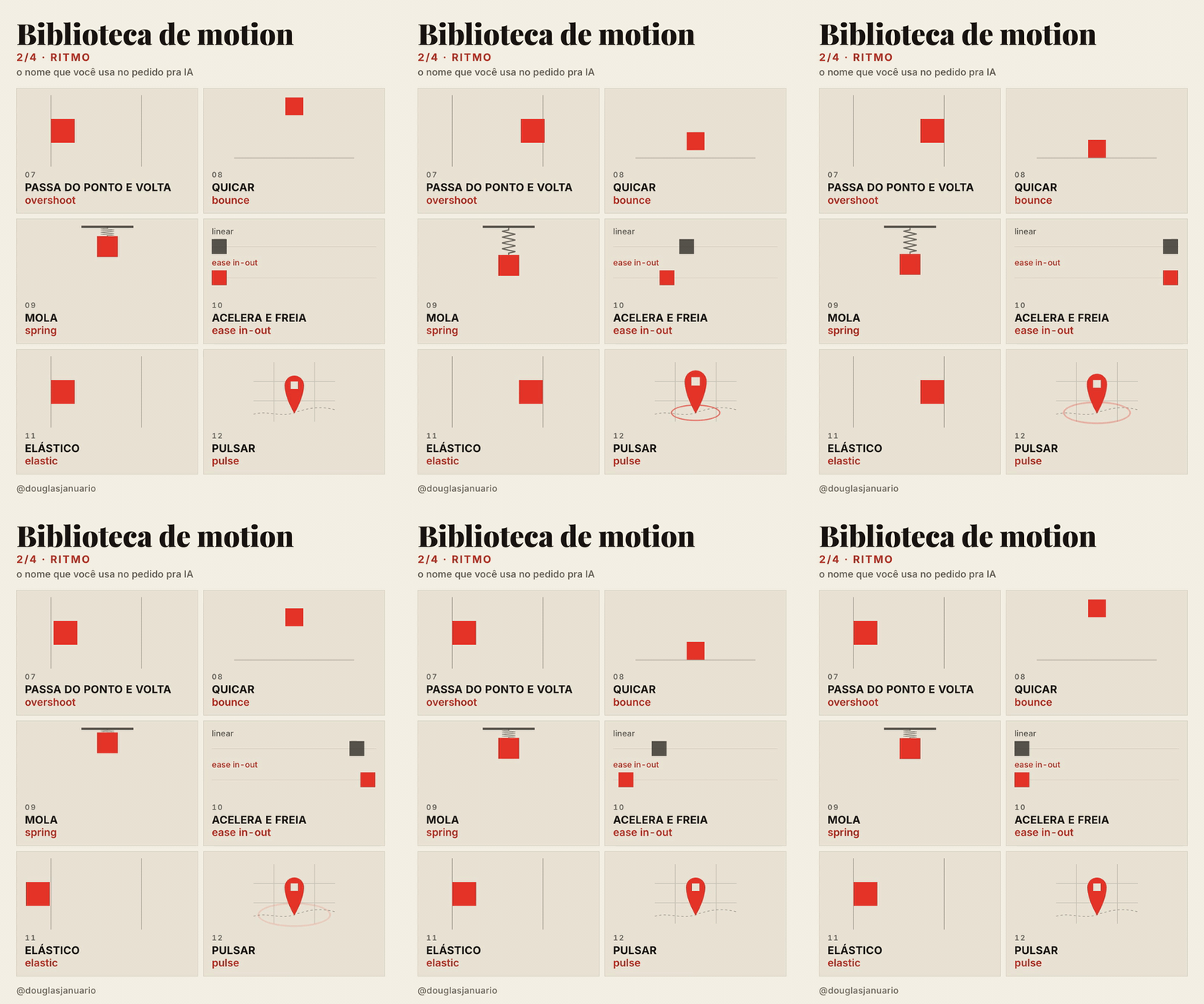
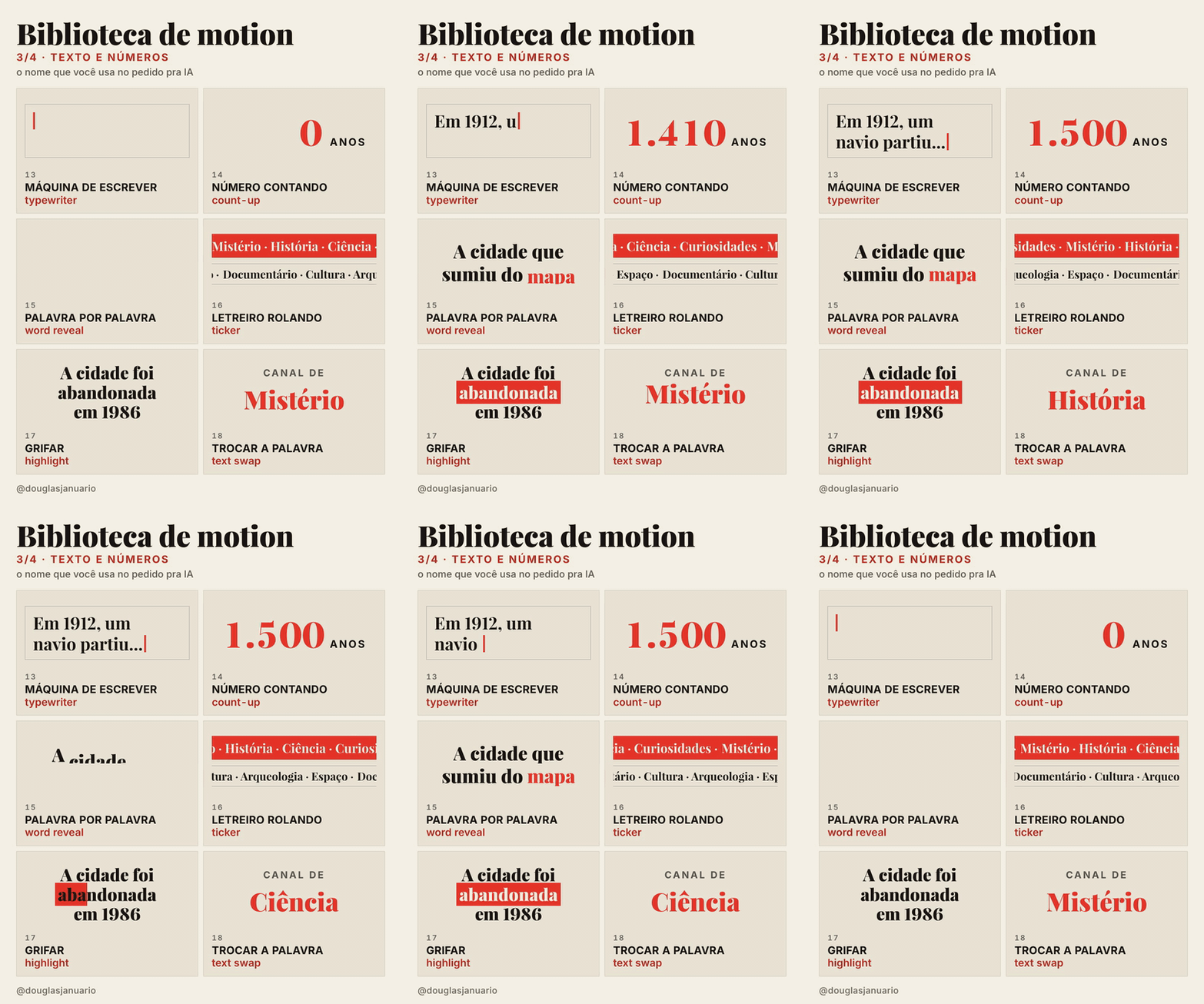
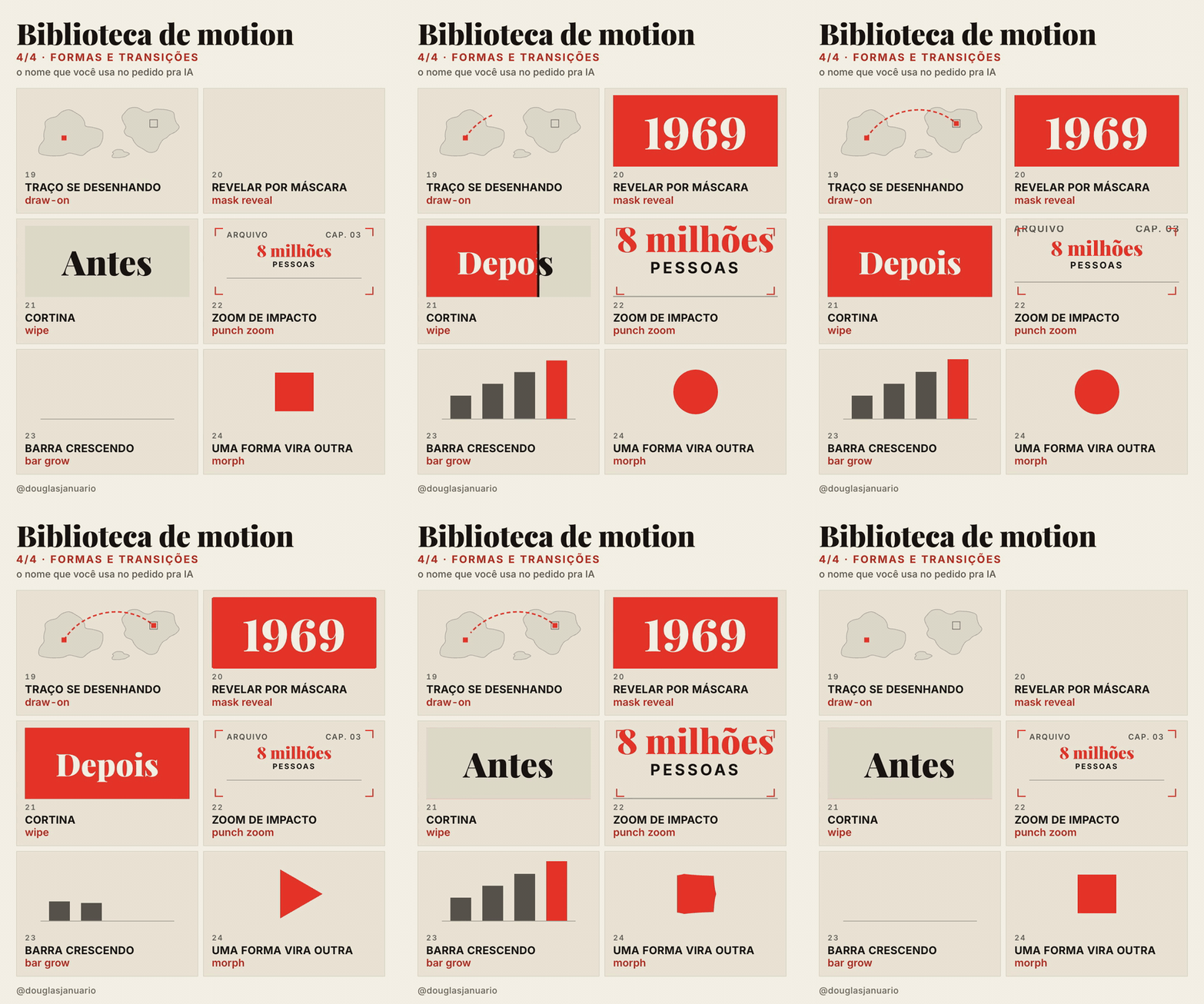
The 24 effects
| # | Effect | When to use | Example prompt |
|---|---|---|---|
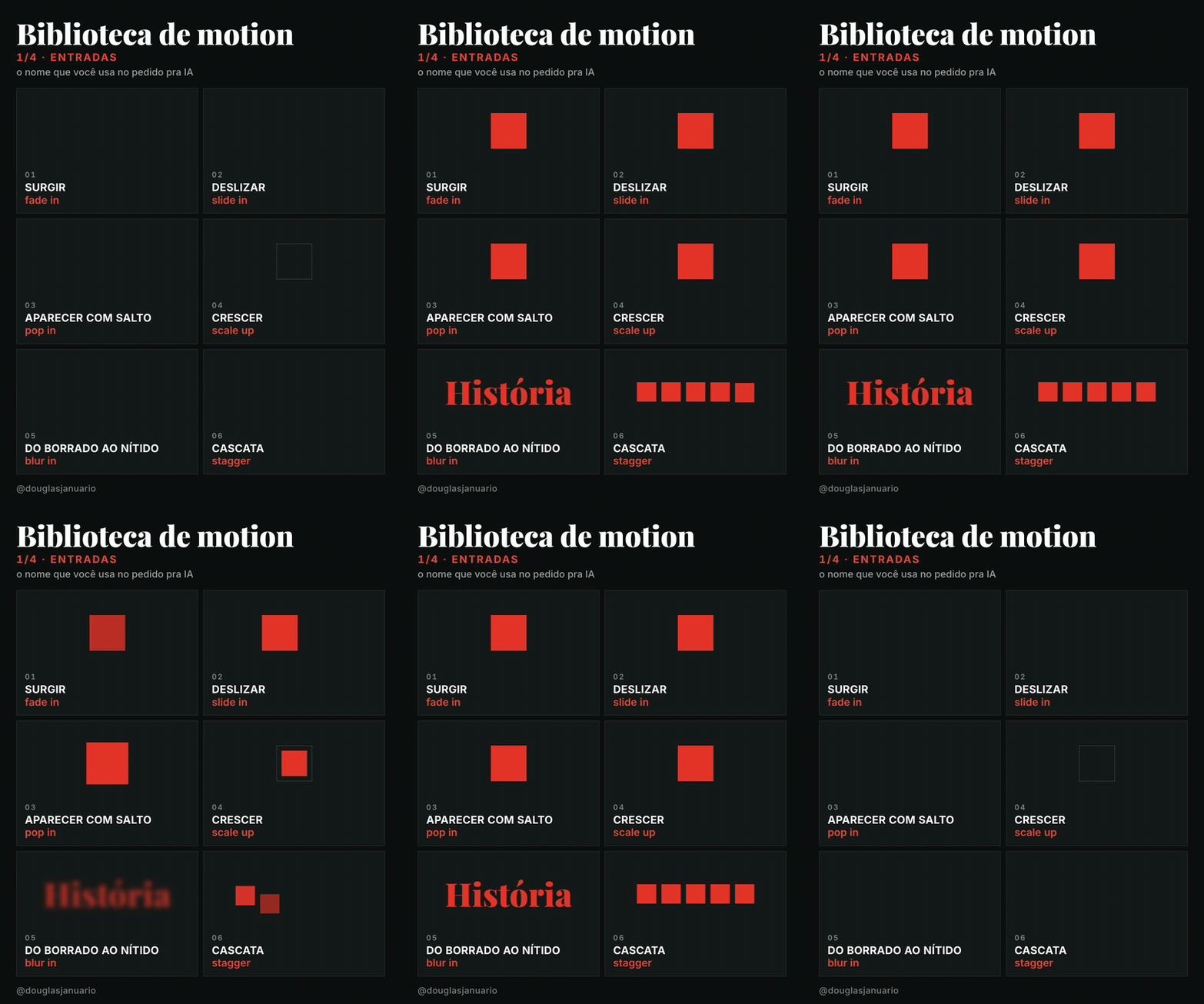
| 01 | fade in | subtle entrance for text or images | “fade in the title over 0.4 s” |
| 02 | slide in | a card, caption or image coming from one side | “slide the card in from the right in 0.5 s” |
| 03 | pop in | an icon, badge or number that needs attention | “pop in the subscribe button at the end” |
| 04 | scale up | giving weight to something central | “scale the map up from 80% to 100%” |
| 05 | blur in | elegant entrance, a sense of focus | “bring the sentence in with a blur in” |
| 06 | stagger | lists, grids, several items | “stagger the 5 topics in, 0.08 s apart” |
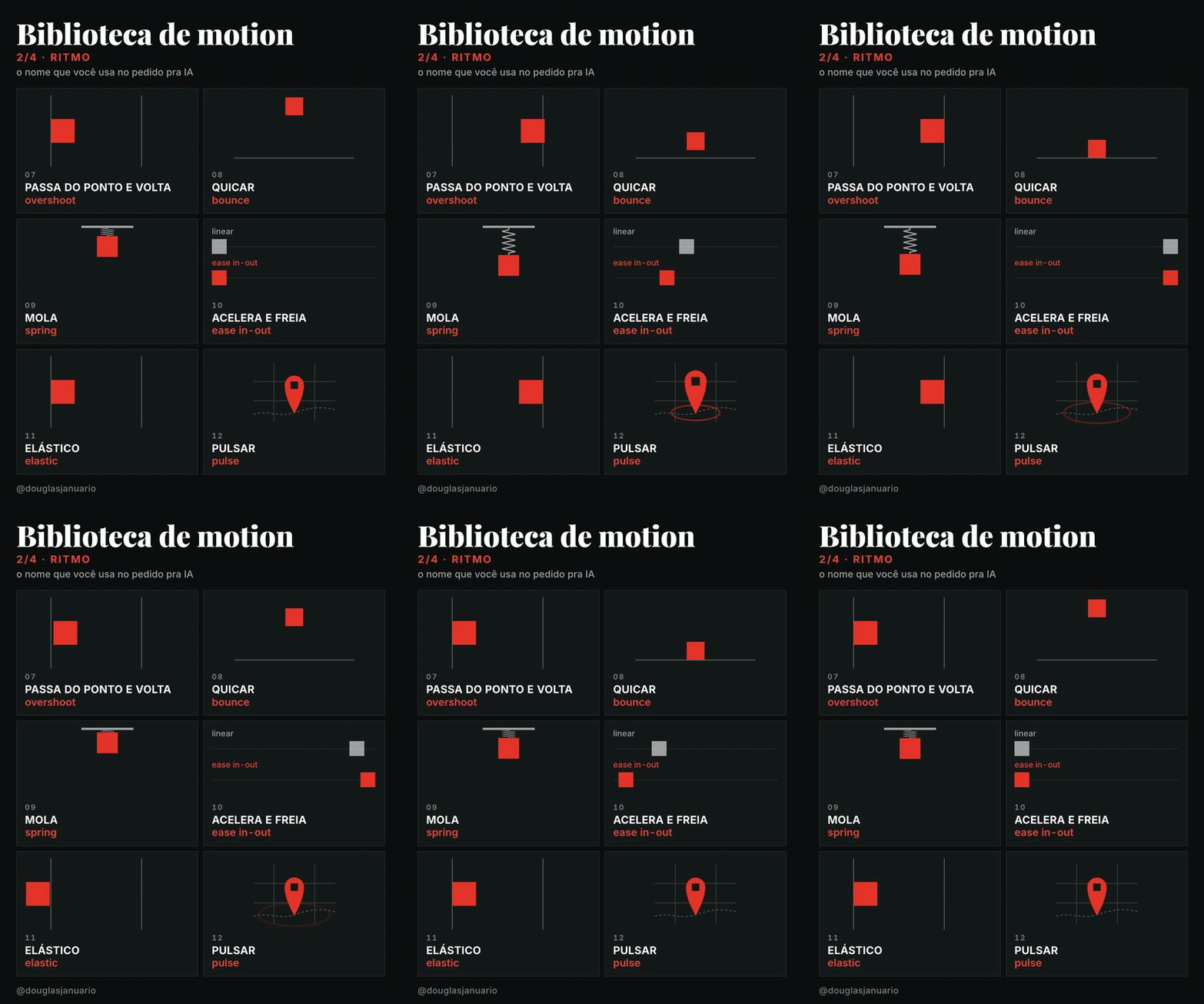
| 07 | overshoot | energetic movement, arrows, buttons | “move the block to the mark with overshoot” |
| 08 | bounce | something falling, light tone | “drop the ball and bounce it until it stops” |
| 09 | spring | UI, something attached that stretches | “animate with a spring, medium stiffness, low damping” |
| 10 | ease in-out | any move between two points | “move from A to B with ease in-out in 0.8 s” |
| 11 | elastic | exaggerated emphasis, cartoon feel | “bring the number in with elastic” |
| 12 | pulse | drawing attention to something already on screen | “pulse the city marker on the map” |
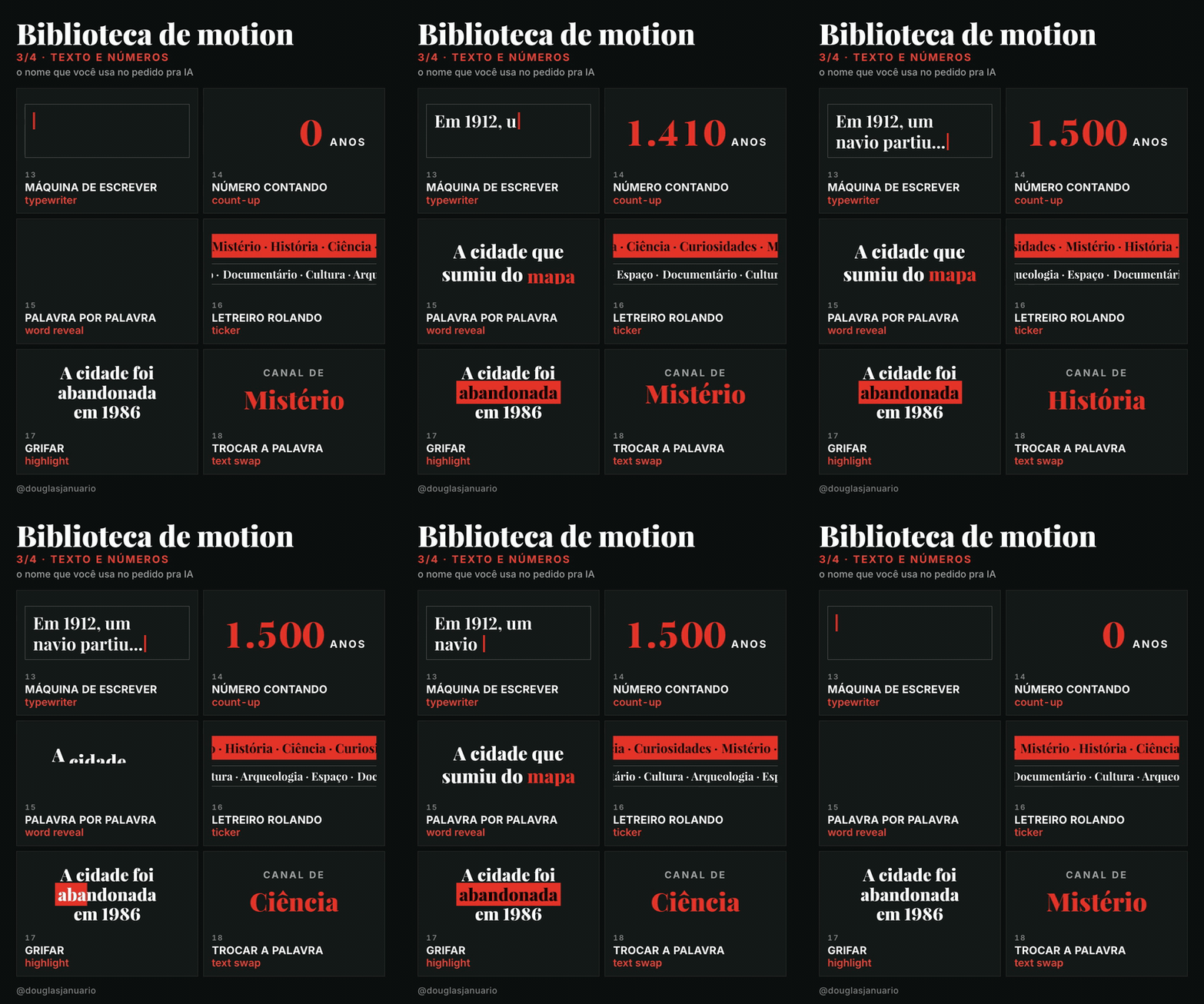
| 13 | typewriter | text being typed, code, scripts | “type the quote letter by letter like an old document” |
| 14 | count-up | statistics, results, counters | “count up from 0 to 1,500 years in 1.5 s” |
| 15 | word reveal | dynamic captions, punchlines | “reveal the sentence word by word, synced to the voice” |
| 16 | ticker | breaking news, headlines, lists of names | “add a ticker at the bottom with the channel topics” |
| 17 | highlight | marking the key word in a sentence | “highlight the word ‘abandoned’ from left to right” |
| 18 | text swap | cycling options at the end of a sentence | “swap the word every 1 s between mystery, history and science” |
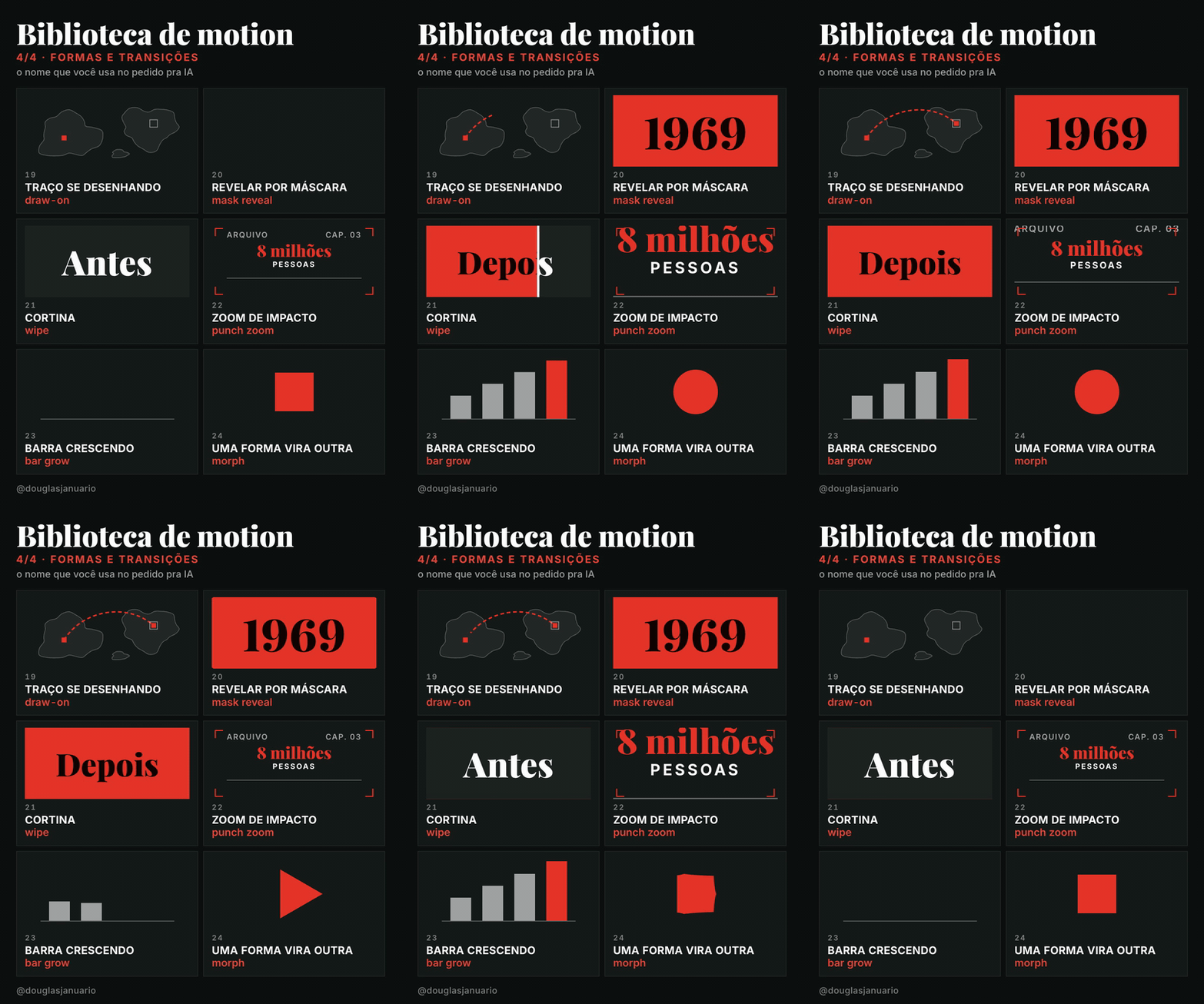
| 19 | draw-on | maps, routes, line charts, signatures | “draw the expedition route on the map in 2 s” |
| 20 | mask reveal | clean reveal of text or images | “mask reveal the year 1969 from bottom to top” |
| 21 | wipe | changing scenes or states | “show the before and after of the city with a wipe” |
| 22 | punch zoom | strong moments, numbers, punchlines | “punch zoom on ‘8 million’ when the narrator says it” |
| 23 | bar grow | bar charts, comparisons | “grow the population bars by decade with a stagger” |
| 24 | morph | transformations, before and after, changing icons | “morph the square into a circle” |
The Portuguese page (README.md) also lists the Portuguese name of each effect and the everyday phrases people use to ask for it.
Recipes for faceless channels
| Scene | Combination |
|---|---|
| Opening hook | word reveal (15) + punch zoom (22) |
| Date or era | mask reveal (20) + blur in (05) |
| Big number | count-up (14) + punch zoom (22) |
| Map and journey | draw-on (19) + pulse (12) |
| Before and after | wipe (21) |
| Data over time | bar grow (23) + stagger (06) |
| Quote or document | typewriter (13) + highlight (17) |
| Video topics | stagger (06) + slide in (02) |
| Chapter change | wipe (21) or mask reveal (20) |
| End screen | pop in (03) + pulse (12) |
Not in the list, but the most common effect in documentaries: a slow zoom on a still photo, the Ken Burns effect (“slow Ken Burns on the photo, about 5% over 6 s”).
Color and theme
Red (#E5352A) and the dark theme are just the defaults. With the skill installed, pick your brand color by name (“use blue and the light theme”), by hex (“use #2F6FED”) or as command arguments: /biblioteca-de-motion-documental cor #2F6FED tema claro. Named colors: red #E5352A, blue #2F6FED, green #1F9D60, yellow #E2A925, orange #EE6A24, purple #7C4DFF.
Install
Download without git: go to Releases and download the .zip of the version you want.
Claude Code, for all your projects:
git clone https://github.com/apenasdouglas/ai-motion-library.git
mkdir -p ~/.claude/skills
cp -r ai-motion-library/versoes/documental/biblioteca-de-motion-documental ~/.claude/skills/
Other tools (Cursor, Codex, ChatGPT): paste the content of SKILL.md into your project instructions.
Credits
- Inspired by the Japanese motion effects catalog by @showheyohtaki.
- Made by Douglas Januário (@douglasjanuario on X). Demo videos generated with AI using HyperFrames by HeyGen, with the Playfair Display and Inter fonts (OFL).
License
MIT.